

Torzsi CS2 Settings – Complete Config Guide 2026
 Henry
HenryMárton “torzsi” Ádám has established himself as one of the most consistent AWPers in professional Counter-Strike. If you’re searching for torzsi CS2 settings, you’ve come to the right place—this guide covers his complete setup including sensitivity, crosshair, video settings, and keybinds.
The Hungarian star combines precise flick aim with excellent positioning, making his configuration worth studying for any aspiring sniper main.
Torzsi’s Mouse Settings
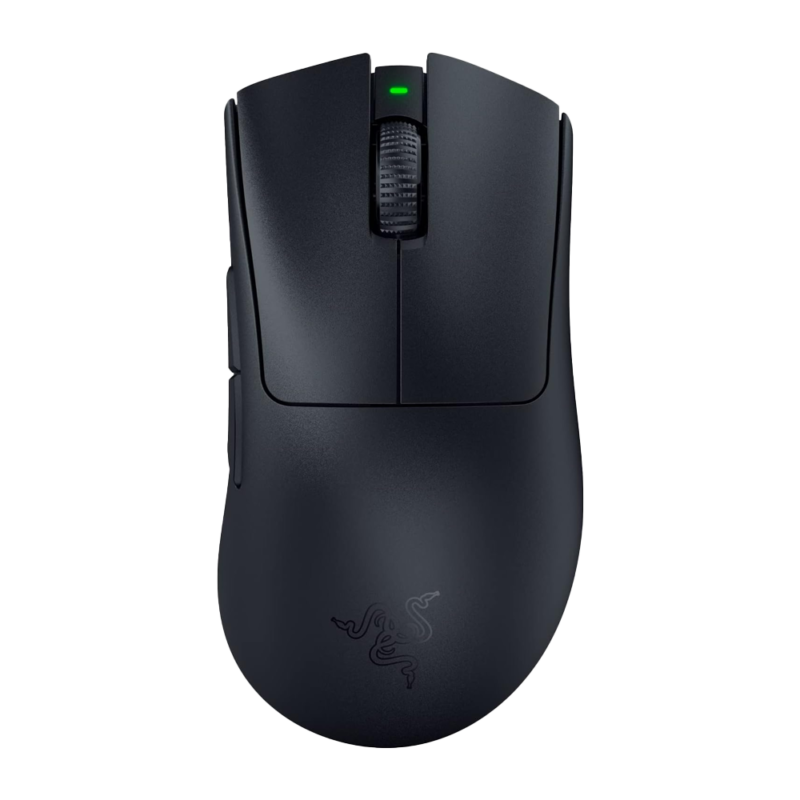
Torzsi uses relatively low sensitivity, which is standard among elite AWPers who need pixel-perfect precision for holding angles.
| Setting | Value |
|---|---|
| DPI | 400 |
| In-Game Sensitivity | 2.0 |
| eDPI | 800 |
| Zoom Sensitivity | 1.0 |
| Polling Rate | 1000 Hz |
| Windows Sensitivity | 6 |
| Raw Input | On |
| Mouse Acceleration | Off |
His eDPI of 800 sits in the sweet spot for AWPers—low enough for precise scope adjustments but high enough for quick flicks when enemies push unexpectedly.
Why This Sensitivity Works
An 800 eDPI requires roughly 52 cm/360°, meaning torzsi needs significant mouse pad space. This forces deliberate crosshair placement rather than relying on reaction-based corrections.
If you’re transitioning from higher sensitivity, drop gradually. Going from 1600 eDPI to 800 overnight will tank your performance. For reference, check how other pros like NiKo approach mouse settings for comparison.
Torzsi’s Crosshair Settings

Torzsi runs a clean, static crosshair that provides clear visibility without cluttering his screen.
cl_crosshair_drawoutline 0cl_crosshair_dynamic_maxdist_splitratio 0.35
cl_crosshair_dynamic_splitalpha_innermod 1
cl_crosshair_dynamic_splitalpha_outermod 0.5
cl_crosshair_dynamic_splitdist 7
cl_crosshair_outlinethickness 1
cl_crosshair_sniper_width 1
cl_crosshairalpha 255
cl_crosshaircolor 1
cl_crosshaircolor_b 50
cl_crosshaircolor_g 250
cl_crosshaircolor_r 50
cl_crosshairdot 0
cl_crosshairgap -3
cl_crosshairsize 2
cl_crosshairstyle 4
cl_crosshairthickness 0
cl_crosshair_t 0
Key characteristics:
- Style 4 (static) – No movement during firing
- Green color – High contrast on most map surfaces
- Small size (2) – Minimal screen obstruction
- Tight gap (-3) – Precise center point for headshots
This crosshair excels for AWP players because the small, static design doesn’t interfere with scope accuracy while still providing a reliable reference point for no-scopes.
Video Settings

Torzsi prioritizes frame rate over visual fidelity, running stretched resolution for wider player models.
| Setting | Value |
|---|---|
| Resolution | 1280×960 |
| Aspect Ratio | 4:3 Stretched |
| Display Mode | Fullscreen |
| Refresh Rate | 360 Hz |
Graphics Settings
| Setting | Value |
|---|---|
| Global Shadow Quality | Medium |
| Model/Texture Detail | Low |
| Texture Filtering Mode | Bilinear |
| Shader Detail | Low |
| Particle Detail | Low |
| Ambient Occlusion | Disabled |
| High Dynamic Range | Performance |
| FidelityFX Super Resolution | Disabled |
| NVIDIA Reflex Low Latency | Enabled |
Running 4:3 stretched at 1280×960 makes enemy models appear wider, which many AWPers prefer for easier target acquisition. Combined with low graphics settings, this ensures maximum frames and minimal input lag.
If you want to optimize your graphics further, our CS2 video settings guide covers the technical details behind each option.
Viewmodel Settings
Torzsi uses a viewmodel that keeps weapons out of his sightlines while maintaining good visual feedback.
viewmodel_fov 68viewmodel_offset_x 2.5
viewmodel_offset_y 0
viewmodel_offset_z -1.5
viewmodel_presetpos 3
cl_righthand 1
This preset 3 configuration with custom offsets positions the weapon low and to the right, maximizing screen real estate for spotting enemies.
Radar Settings
A properly configured radar is crucial for gathering information without looking away from your crosshair.
cl_radar_always_centered 0cl_radar_scale 0.4
cl_radar_icon_scale_min 0.6
cl_hud_radar_scale 1.15
Setting cl_radar_always_centered 0 shows more of the map at once, helping torzsi track teammate positions and potential rotations. For a deep dive into radar optimization, check our CS2 radar settings guide.
Keybinds
Torzsi uses fairly standard binds with some quality-of-life adjustments.
| Action | Key |
|---|---|
| Jump | Space / Mouse Wheel Down |
| Crouch | Left Ctrl |
| Walk | Left Shift |
| Primary Weapon | 1 |
| Secondary Weapon | 2 |
| Knife | 3 |
| Cycle Grenades | 4 |
| HE Grenade | C |
| Flashbang | F |
| Smoke | Q |
| Molotov | X |
| Push to Talk | V |
Having individual grenade binds is essential for fast utility deployment. Cycling through grenades wastes precious milliseconds that can cost rounds.
Launch Options
-novid -tickrate 128Torzsi keeps launch options minimal. The -novid skips the intro video, while -tickrate 128 ensures offline practice matches run at competitive tick rates.
Avoid cluttering launch options with outdated commands. Most performance tweaks should be handled through in-game settings or your NVIDIA control panel.
Hardware Setup
| Component | Equipment |
|---|---|
| Mouse | Logitech G Pro X Superlight 2 |
| Mousepad | Logitech G640 |
| Keyboard | Wooting 60HE |
| Monitor | BenQ ZOWIE XL2566K (360Hz) |
| Headset | HyperX Cloud III |
The Wooting 60HE with analog switches allows for adjustable actuation points, which some pros use for faster movement inputs. His 360Hz monitor provides the smoothest visual feedback available for tracking fast-moving targets.
Tips for Using Torzsi’s Settings
Don’t copy blindly. These settings work for torzsi because he’s spent thousands of hours developing muscle memory around them. Here’s how to adapt them effectively:
- Start with sensitivity – If 800 eDPI feels too slow, try 900-1000 and adjust downward over weeks
- Test the crosshair – Play deathmatch for 30 minutes before deciding if the small size works for you
- Stretched resolution requires adjustment – Timing feels different, and vertical sensitivity changes
- Keep your current keybinds – Unless they’re objectively inefficient, muscle memory matters more than copying pros
For AWP practice specifically, focus on holding common angles on maps like Mirage and Inferno. The AWP rewards patience and positioning over raw mechanical skill.
Conclusion
Torzsi’s CS2 settings reflect a classic AWPer philosophy: low sensitivity for precision, stretched resolution for visibility, and minimal visual clutter. His 800 eDPI and static crosshair provide the stability needed for consistent first-shot accuracy.
Copy his configuration as a starting point, then adjust based on your hardware and playstyle. The best settings are ultimately the ones you’ve practiced with extensively.
Looking to upgrade your loadout while you grind? Browse CS2 skins to find the perfect AWP skin for your collection.


