

Brollan CS2 Settings – Crosshair, Video & Config 2026
 Henry
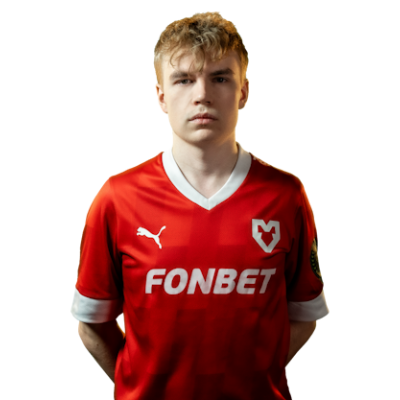
HenryHampus “Brollan” Bergling has been dominating CS since he was a teenager, and his aggressive rifling style makes him one of the most exciting players to watch. If you want to copy Brollan CS2 settings, this guide breaks down his complete setup—from mouse sensitivity to video config.
The Swedish star currently plays for G2 Esports, bringing explosive firepower to one of the world’s best rosters. His settings prioritize crisp visuals and precise aim, which you can replicate on your own system.
Brollan’s Mouse Settings

Brollan uses a relatively low sensitivity, giving him excellent control during spray transfers and long-range duels.
| Setting | Value |
|---|---|
| DPI | 400 |
| In-Game Sensitivity | 2.0 |
| eDPI | 800 |
| Zoom Sensitivity | 1.0 |
| Hz (Polling Rate) | 1000 |
| Windows Sensitivity | 6 |
| Raw Input | On |
| Mouse Acceleration | Off |
His 800 eDPI sits in the sweet spot for most pro players. It’s low enough for precise micro-adjustments when holding angles, yet fast enough to clear corners and flick onto targets.
If you’re coming from a higher sensitivity, drop it gradually over a few days rather than switching cold. Your muscle memory needs time to adapt.
Brollan’s Crosshair Settings

Brollan uses a clean, static crosshair that stays visible against most backgrounds. Here’s how to replicate it:
cl_crosshairsize 1.5cl_crosshairgap -3
cl_crosshairthickness 0
cl_crosshairdot 0
cl_crosshaircolor 1
cl_crosshair_drawoutline 0
cl_crosshairstyle 4
Crosshair Breakdown
- Size 1.5 – Small enough to avoid obscuring heads at range
- Gap -3 – Tight center point for precise headshot placement
- Thickness 0 – Thin lines keep the crosshair minimal
- Color 1 (Green) – High visibility on most map textures
- Style 4 – Static crosshair with no movement feedback
This crosshair works exceptionally well with the AK-47 and M4A1-S, Brollan’s primary weapons.
Brollan’s Video Settings
Brollan prioritizes maximum FPS over visual fidelity. Here’s his complete video configuration:
| Setting | Value |
|---|---|
| Resolution | 1280×960 |
| Aspect Ratio | 4:3 |
| Scaling Mode | Stretched |
| Display Mode | Fullscreen |
Graphics Quality Settings
| Setting | Value |
|---|---|
| Global Shadow Quality | Medium |
| Model / Texture Detail | Low |
| Texture Filtering Mode | Bilinear |
| Shader Detail | Low |
| Particle Detail | Low |
| Ambient Occlusion | Disabled |
| High Dynamic Range | Performance |
| FidelityFX Super Resolution | Disabled |
| NVIDIA Reflex Low Latency | Enabled |
The 4:3 stretched resolution makes player models appear wider, which some players find easier to track. If you’re interested in optimizing your own display, check out our CS2 video settings guide for detailed explanations.
For NVIDIA users, pairing these settings with proper driver configuration can squeeze out extra frames. Our CS2 NVIDIA settings guide covers the optimal control panel tweaks.
Brollan’s Viewmodel Settings
Brollan uses a compact viewmodel that keeps his weapon from blocking sightlines:
viewmodel_fov 68viewmodel_offset_x 2.5
viewmodel_offset_y 0
viewmodel_offset_z -1.5
viewmodel_presetpos 3
cl_righthand 1
This setup pushes the gun model toward the bottom-right corner, maximizing screen real estate during firefights.
Brollan’s Keybinds
| Action | Key |
|---|---|
| Jump | Space / Mouse Wheel Down |
| Crouch | Ctrl |
| Walk | Shift |
| Use | E |
| Drop Weapon | G |
| Inspect Weapon | F |
| Quick Switch | Q |
Binding jump to mouse wheel down enables consistent bunny hops and ensures you hit every jump-throw lineup perfectly.
Brollan’s Radar Settings
A properly configured radar provides critical information during rounds. Brollan uses an expanded radar that shows the entire map:
cl_radar_scale 0.4cl_hud_radar_scale 1.15
cl_radar_always_centered 0
cl_radar_rotate 1
For a complete breakdown of radar optimization, our CS2 radar settings guide explains each parameter in detail.
Brollan’s PC Specs
Pro performance requires pro hardware. Here’s what Brollan uses:
| Component | Specification |
|---|---|
| Monitor | 360Hz |
| Mouse | Logitech G Pro X Superlight |
| Keyboard | Logitech G Pro X |
| Headset | Logitech G Pro X |
| Mousepad | Logitech G640 |
The 360Hz monitor provides incredibly smooth visuals, though most players will see significant benefits even at 240Hz or 144Hz.
Should You Copy Brollan’s Settings?
Brollan’s config works brilliantly for his playstyle—aggressive entries, quick flicks, and spray control. However, settings are deeply personal.
Start with his sensitivity if you’re unsure where to begin. The 800 eDPI range is proven across hundreds of pro players.
Adjust the crosshair based on your preferences. Some players prefer larger crosshairs for visibility, while others want Brollan’s minimal style.
Match video settings to your hardware. If you’re getting 300+ FPS consistently, you can afford to bump up a few quality settings.
Want to compare with other pro configurations? Check out NiKo’s CS2 settings or shroud’s CS2 settings to see how different playstyles influence config choices.
Conclusion
Brollan’s CS2 settings combine low sensitivity for precision, stretched 4:3 for wider models, and minimal graphics for maximum FPS. Copy his config as a starting point, then fine-tune based on your own hardware and preferences.
Looking to complete your setup with some fresh skins? Browse the latest CS2 skins to find the perfect loadout for your newly optimized game.


