

Mezzi CS2 Settings – Crosshair, Video & Config 2026
 Henry
HenryWant to frag like one of Australia’s most promising talents? Mezzi CS2 settings give you the complete configuration this rising star uses to dominate on the international stage. From his precise crosshair to his optimized video settings, we’ve got everything you need to replicate his setup.
Ricky “Mezzi” Mezei has quickly established himself as a key player in the competitive CS2 scene. His aggressive playstyle and consistent aim make his settings worth studying for anyone looking to improve their game.
Mezzi’s Mouse Settings
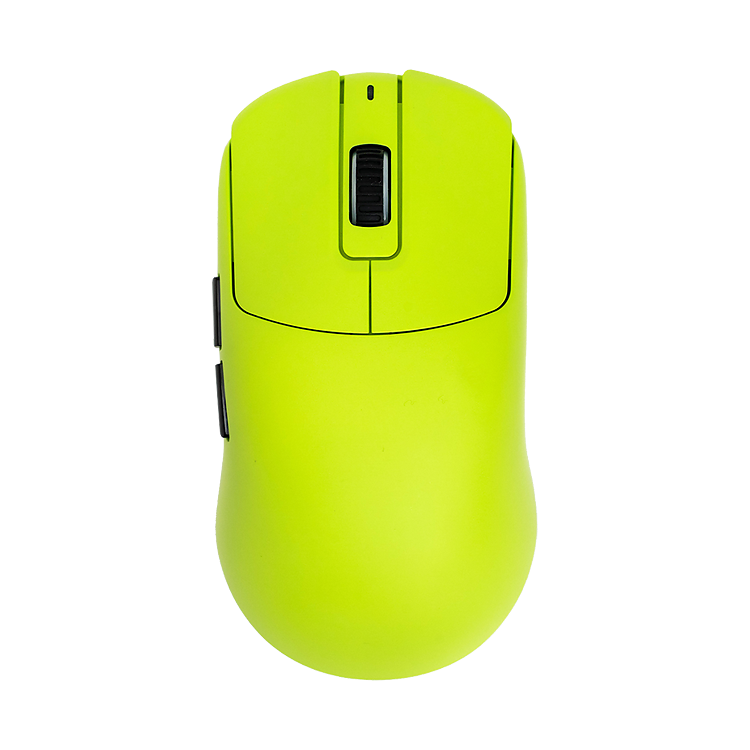
Mezzi uses relatively low sensitivity, which is standard among professional players for maximum precision during aim duels.
| Setting | Value |
|---|---|
| DPI | 800 |
| In-Game Sensitivity | 0.9 |
| eDPI | 720 |
| Zoom Sensitivity | 1.0 |
| Hz (Polling Rate) | 1000 |
| Windows Sensitivity | 6 |
| Raw Input | On |
His 720 eDPI falls within the typical pro range (600-900), allowing for precise micro-adjustments while still enabling comfortable 180-degree turns. If you’re using a higher sensitivity, consider gradually lowering it to match this range—your rifle sprays will thank you.
Mezzi’s Crosshair Settings

A clean, visible crosshair is essential for landing those crucial AK-47 headshots. Mezzi opts for a simple static crosshair that doesn’t distract during firefights.
| Setting | Value |
|---|---|
| Style | 4 (Static) |
| Color | Green (1) |
| Size | 2 |
| Thickness | 0 |
| Gap | -3 |
| Outline | No |
| Dot | No |
Crosshair Code:
CSGO-sYMDO-A5CWu-zCbRd-TfWvJ-yXuYGTo apply this crosshair, open your console and paste the code, or navigate to Settings > Game > Crosshair and import it directly. The tight gap and small size create a precise aiming point without obscuring enemies at range.
Mezzi’s Video Settings

Performance matters more than visuals in competitive CS2. Mezzi’s video configuration prioritizes high frame rates and enemy visibility over graphical fidelity.
| Setting | Value |
|---|---|
| Resolution | 1280×960 |
| Aspect Ratio | 4:3 |
| Scaling Mode | Stretched |
| Display Mode | Fullscreen |
Advanced Video Settings
| Setting | Value |
|---|---|
| Boost Player Contrast | Enabled |
| V-Sync | Disabled |
| Multisampling Anti-Aliasing | 4x MSAA |
| Global Shadow Quality | Medium |
| Model/Texture Detail | Low |
| Texture Filtering Mode | Bilinear |
| Shader Detail | Low |
| Particle Detail | Low |
| Ambient Occlusion | Disabled |
| High Dynamic Range | Performance |
| FidelityFX Super Resolution | Disabled |
The 4:3 stretched resolution makes player models appear wider, potentially easier to hit. Many pros prefer this setup despite the reduced field of view. If you want to optimize your graphics card further, check out our guide on CS2 NVIDIA settings.
Mezzi’s Viewmodel Settings
Your weapon viewmodel affects screen real estate and visual comfort. Mezzi uses a compact configuration that maximizes visibility.
| Setting | Value |
|---|---|
| Viewmodel FOV | 68 |
| Viewmodel Offset X | 2.5 |
| Viewmodel Offset Y | 0 |
| Viewmodel Offset Z | -1.5 |
| Viewmodel Presetpos | 3 |
Console Commands:
viewmodel_fov 68viewmodel_offset_x 2.5
viewmodel_offset_y 0
viewmodel_offset_z -1.5
viewmodel_presetpos 3
Mezzi’s Keybinds
Efficient keybinds let you react faster in clutch situations. Here are Mezzi’s essential bindings:
| Action | Key |
|---|---|
| Jump | Space / Mouse Wheel Down |
| Crouch | Left Ctrl |
| Walk | Left Shift |
| Primary Weapon | 1 |
| Secondary Weapon | 2 |
| Knife | 3 |
| Cycle Grenades | 4 |
| HE Grenade | C |
| Flashbang | F |
| Smoke | Q |
| Molotov | X |
Binding jump to mouse wheel enables consistent bunny hops and easier jump throws. Having individual grenade binds means you’ll never fumble for utility during an execute—critical when you’re throwing smokes on Mirage or flashes on Inferno.
Mezzi’s Radar Settings
A properly configured radar provides crucial information without requiring you to look away from your crosshair.
| Setting | Value |
|---|---|
| Radar Centers The Player | Yes |
| Radar Rotation | Yes |
| Radar Hud Size | 1.0 |
| Radar Map Zoom | 0.5 |
| Radar Size | 1.0 |
For more detailed radar optimization, our CS2 radar settings guide covers everything you need to know.
Hardware Mezzi Uses
Professional settings only work optimally with capable hardware. Here’s what Mezzi uses:
| Component | Product |
|---|---|
| Mouse | Logitech G Pro X Superlight |
| Mousepad | Large cloth pad |
| Keyboard | Mechanical (Linear switches) |
| Monitor | 360Hz Gaming Monitor |
| Headset | HyperX Cloud II |
The 360Hz monitor provides the smoothest possible visual feedback, though you’ll see significant benefits from anything 144Hz and above.
Should You Copy Mezzi’s Settings?
Mezzi’s configuration offers a solid foundation, but remember: settings are personal. His 720 eDPI might feel too slow if you’re used to higher sensitivity. His stretched resolution might seem uncomfortable if you’ve always played native.
Start with his settings as a baseline, then adjust based on your:
- Mousepad size and desk space
- Personal comfort and muscle memory
- Hardware capabilities
If you’re exploring other pro configurations, compare Mezzi’s setup with players like s1mple or m0nesy to find common patterns among elite aimers.
Final Thoughts
Mezzi CS2 settings combine low sensitivity for precision, stretched resolution for wider models, and optimized video settings for maximum FPS. While copying a pro’s config won’t instantly make you better, it provides a proven foundation to build upon.
Apply these settings, spend time in deathmatch to adjust, and focus on fundamentals. Once you’re fragging consistently, reward yourself with some fresh CS2 skins to match your improved gameplay.


